01
Audit Overview
Your store's untapped revenue potential — and how to unlock it
Why We Created This Audit
We analyzed relaxofootwear.com the same way we've audited 350+ e-commerce stores — looking for the specific gaps between your current experience and what top-performing Fashion & Apparel stores deliver. Every finding in this report is a revenue opportunity backed by industry data and competitive benchmarks.
3 Critical
3 Important
2 Opportunities
What We Analyzed
- UX & Conversion Design8 findings
- Performance & Speedvs 3 competitors
- Technology & App StackPlatform + 4 apps
- Industry BenchmarksFashion & Apparel
Pages Analyzed
- Homepage3 findings
- Collection Pages1 findings
- Product Pages (PDP)2 findings
- Cart & Checkout2 findings
 This audit was prepared by Growisto — a CRO-led Website development team behind 167% conversion growth for Atomberg, 46% CR lift for TyresNmore, and 350+ e-commerce projects.
03
UX & Conversion Findings
Page-by-page analysis with visual comparisons against top Fashion & Apparel stores
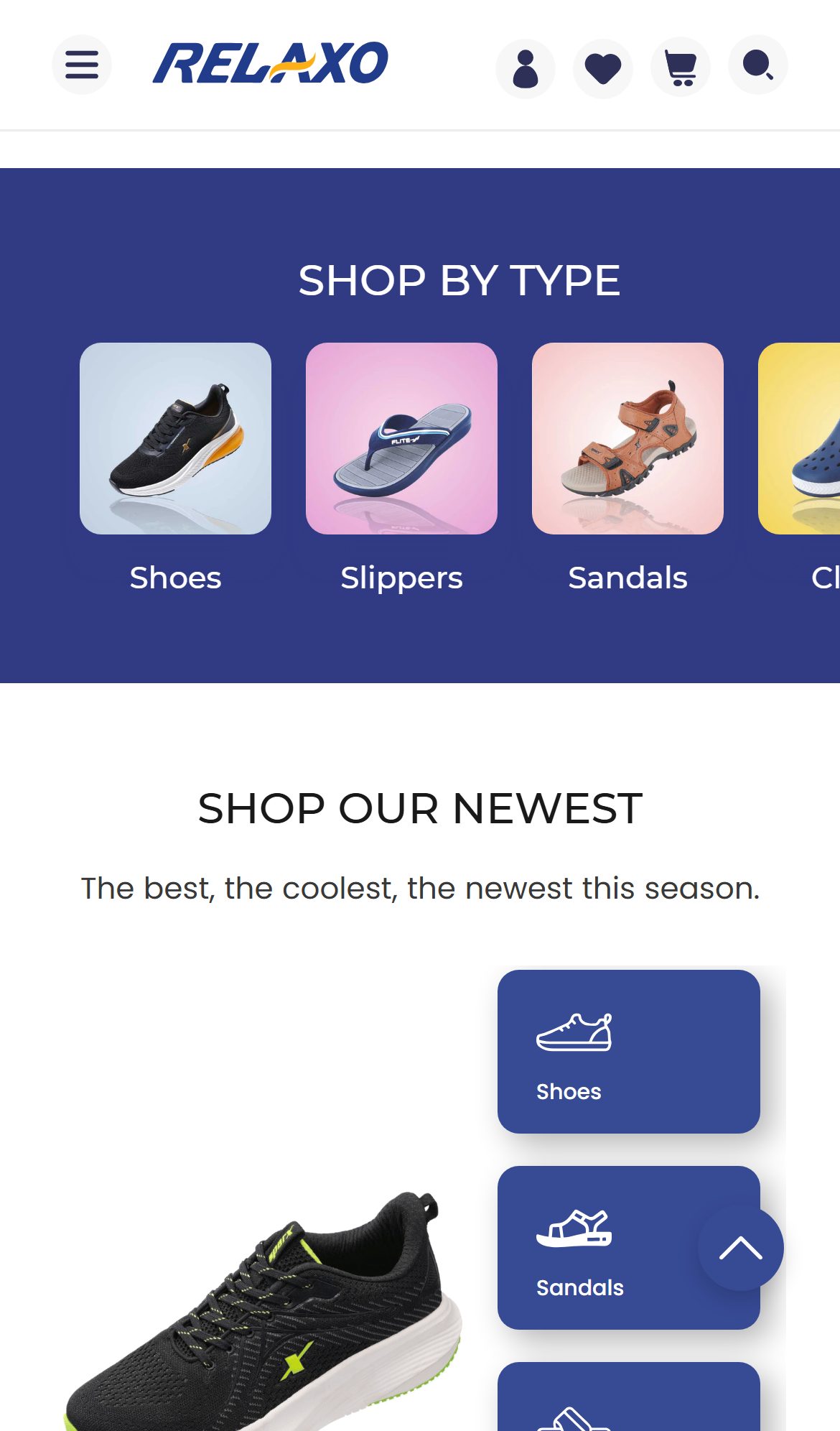
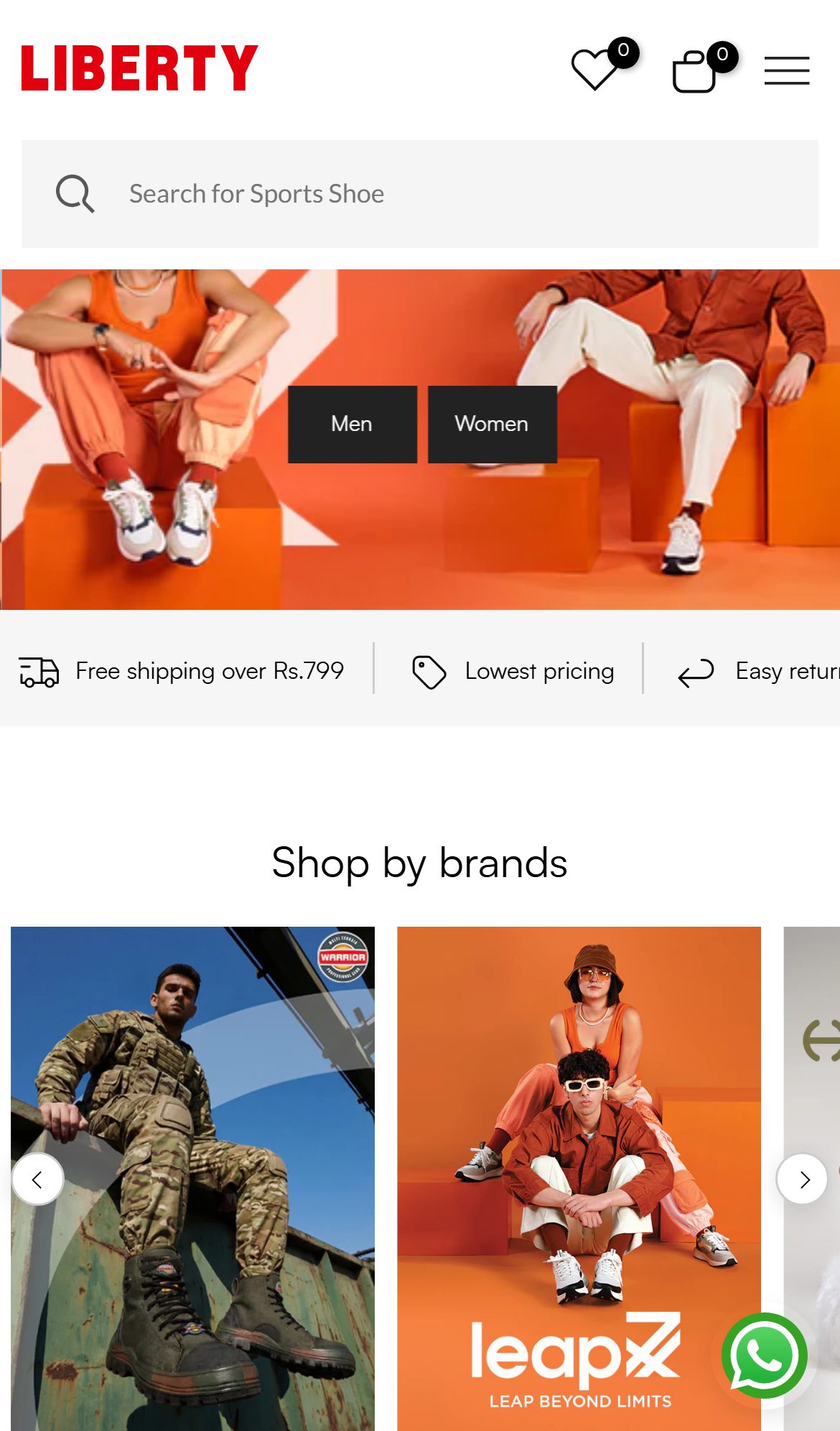
Adding a trust strip (Secure Payments · COD Available · 7-Day Returns · 40+ Years of Manufacturing) above the fold or in the hero section reassures first-time visitors and reduces homepage bounce.
Relaxo — Mobile
Liberty Shoes — Mobile
Observations
- The homepage contains a hero banner, category navigation, and brand campaigns — but no trust-signal strip (security, returns, COD, shipping guarantee) anywhere in the above-fold or near-fold area.
- Relaxo's own trust signals (largest footwear manufacturer, 40+ years, Fortune 500 India) are buried in a 'Our Legacy of Trust' section deep below the fold — invisible to bounce-prone first-time visitors.
- The PDP does show trust icons (Pay On Delivery, 7 days Returnable, Secure Packaging), but these are absent on the homepage where first impression is formed.
- Liberty Shoes and 5/10 fashion stores analyzed display a trust strip within the top 300px of the homepage — a critical first-visit conversion signal especially for India's first-time online footwear buyers.
Recommendations
- Add a horizontal trust strip immediately below the announcement bar or below the hero section: 4–5 icons covering COD, 7-day returns, free shipping threshold, secure payment, and genuine product guarantee.
- Leverage Relaxo's manufacturing heritage as a trust signal: '40+ Years · India's Largest Footwear Brand · 100% Genuine' serves dual purpose as credibility and brand differentiation.
- Trust badges should use consistent iconography with the PDP trust section to build visual language cohesion across the funnel.
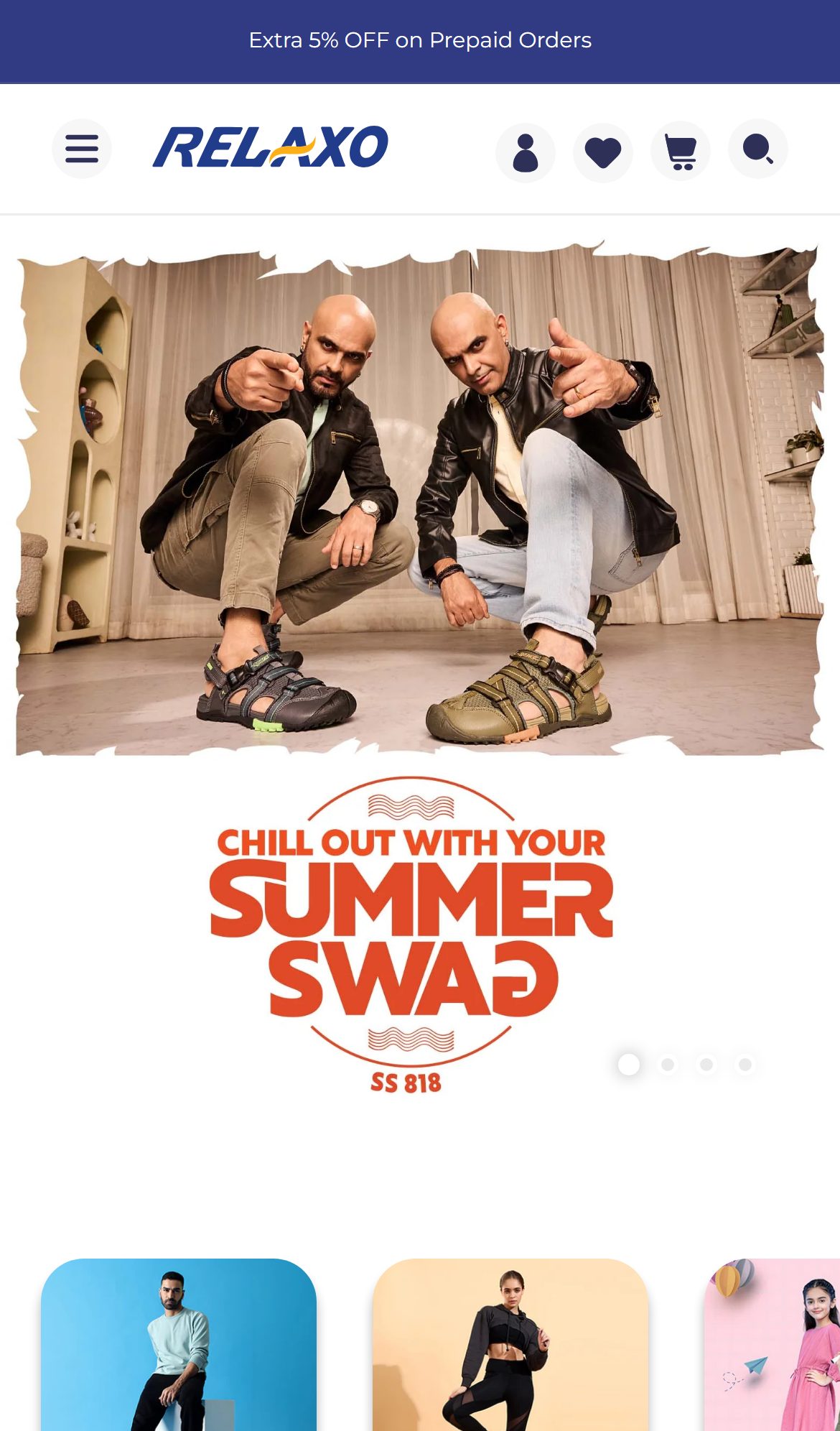
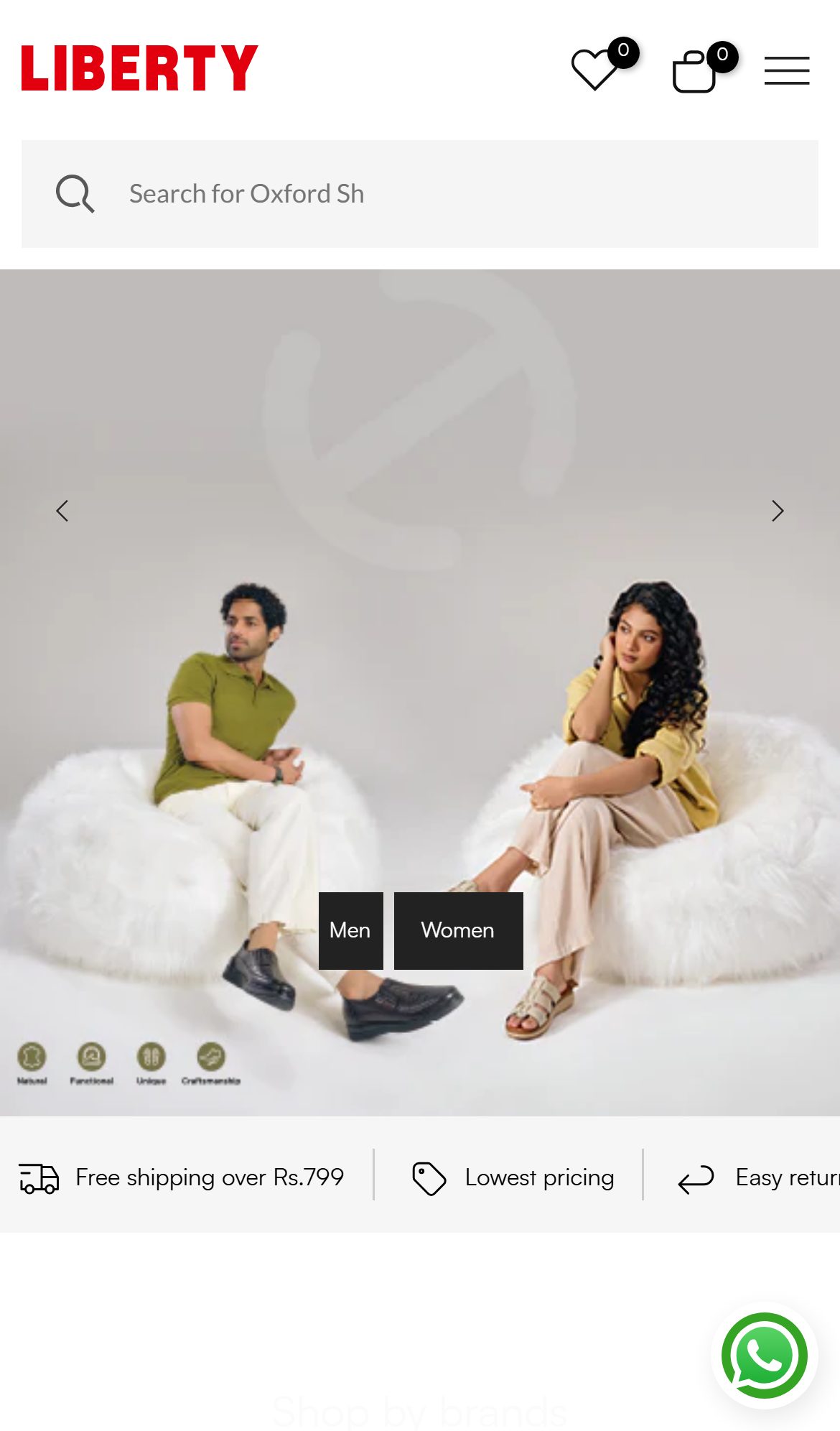
Adding a single 'Shop Now' or 'Explore SS 818' CTA to the hero would channel attention already captured by celebrity campaign imagery into measurable category traffic.
Relaxo — Mobile
Liberty Shoes — Mobile
Observations
- The hero banner features a celebrity brand campaign ('CHILL OUT WITH YOUR SUMMER SWAG / SS 818') with two brand ambassadors — high-quality imagery that commands attention but includes no Shop Now, Explore, or product-specific CTA button.
- The entire hero is a static image with campaign copy; there is no clickable overlay button linking to the featured collection or product.
- Without a CTA, users who engage with the hero must independently decide to use the nav or scroll further — every unmotivated scroll increases drop-off risk.
- 7/10 fashion stores analyzed (including Liberty Shoes, Campus Shoes) place at minimum one hero CTA directing to a sale page, new arrivals, or the featured product in the campaign.
Recommendations
- Add a prominent CTA button overlaid on the hero ('Shop Summer Swag', 'Shop SS 818 Collection', or 'Shop Now') linking to the relevant campaign collection.
- Use contrasting button color (white or yellow on the dark navy background) to ensure visibility — button placement should be in the lower-left or center of the hero.
- For the carousel, each slide should have its own CTA with a contextually relevant link (e.g., Sparx campaign → /collections/sparx, Bahamas campaign → /collections/bahamas).
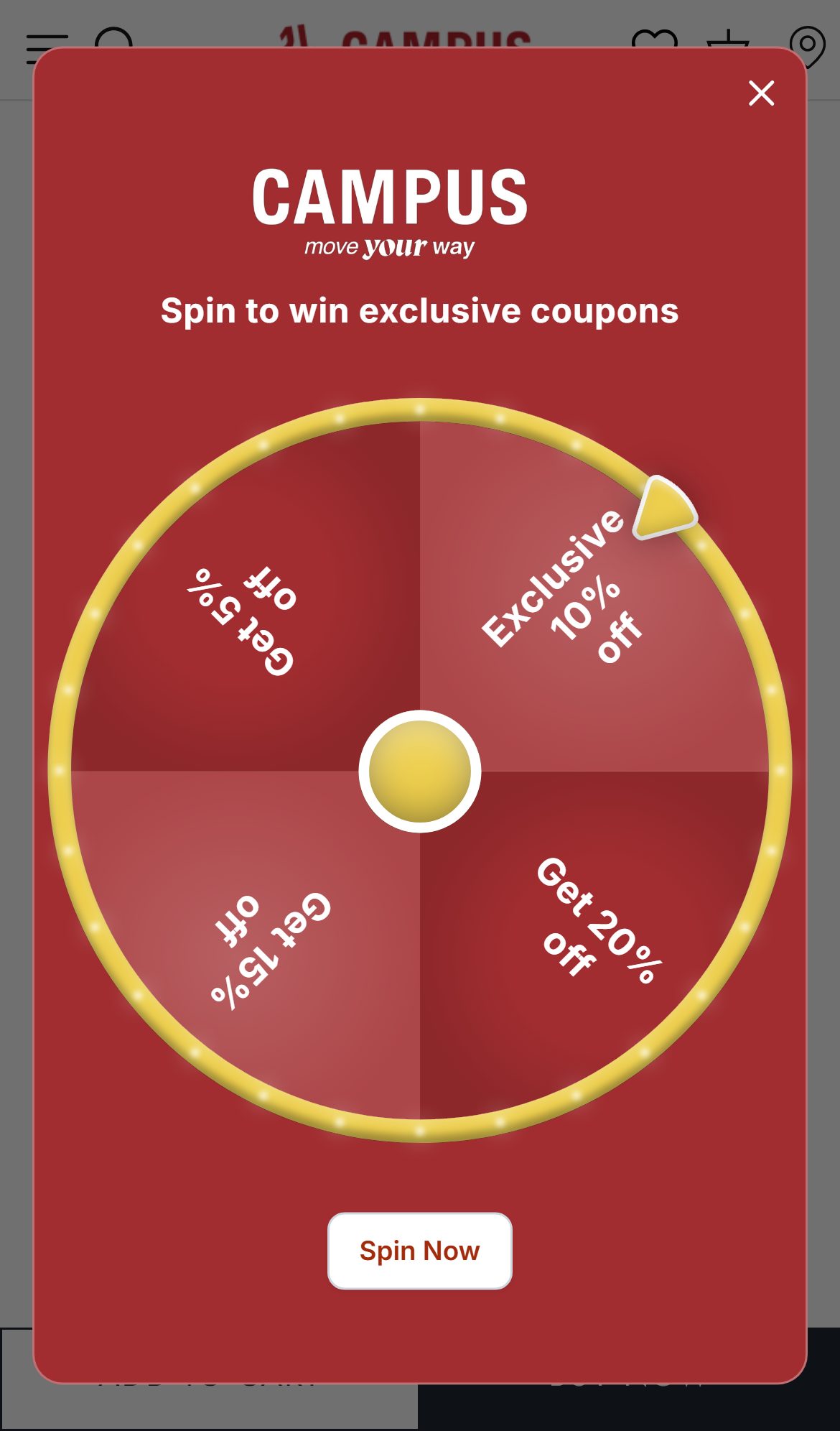
An email/SMS opt-in popup with a 10% first-order discount can convert a meaningful share of new visitors into subscribers, creating a retargetable audience from paid traffic that currently bounces with no data captured.
Feature not present
Relaxo — Not Present
Campus Shoes — Mobile
Observations
- No email capture popup or slide-in appeared during homepage visit — neither on page load, on scroll, nor on exit intent — despite Wigzo being installed with exit-intent CSS loaded.
- Wigzo is configured for push notification opt-in and behavior tracking, but no email/SMS lead capture form is active on the site.
- There is no newsletter signup section in the homepage content, no footer email capture form, and no welcome popup with discount incentive.
- Campus Shoes and 6/10 India fashion stores deploy welcome popups offering 10–15% off first orders — these capture email/phone for WhatsApp and SMS remarketing, a critical owned-channel in the India D2C context.
Recommendations
- Configure a Wigzo email/SMS capture popup triggered at 15–20 seconds or on 50% scroll for new visitors — offer '10% off your first order' as incentive.
- For India specifically, prioritize WhatsApp opt-in alongside email: Wigzo supports WhatsApp automation which has 5–8x higher open rates than email in India.
- Suppress the popup for returning visitors and anyone who has already subscribed to avoid annoying loyal customers.
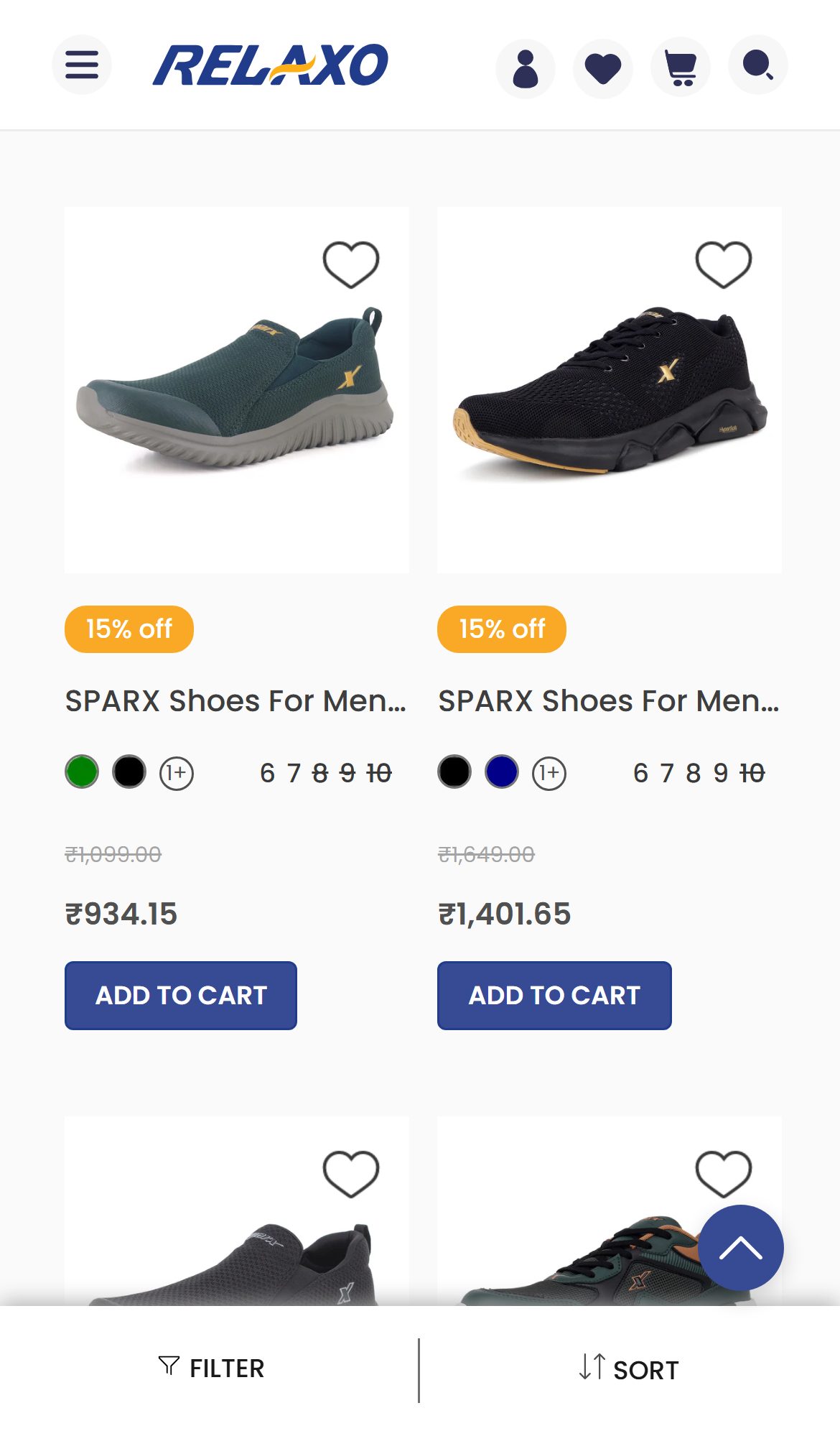
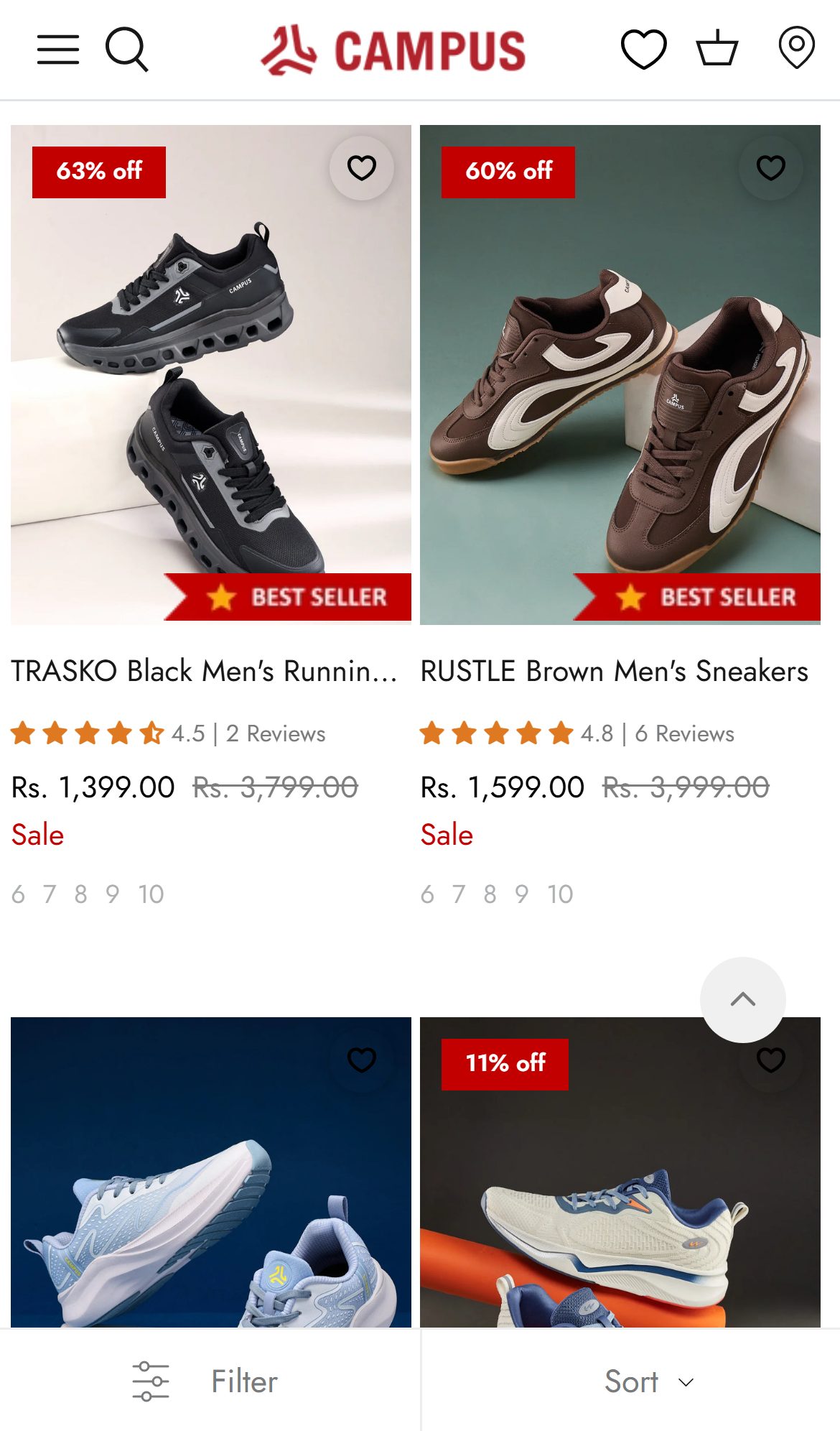
Displaying Judge.me aggregate ratings on collection cards increases PDP click-through from browse — shoppers use ratings to shortlist products without opening each PDP.
Relaxo — Mobile
Campus Shoes — Mobile
Observations
- Collection page tiles show product name, size availability, pricing with discount — but no star ratings or review counts on any tile, even for products with existing reviews.
- The SM 9085 has 6 reviews (3.33/5) via Judge.me, yet none of this data surfaces on the collection card — the social proof exists but is invisible at the browse stage.
- 8/10 fashion stores in the benchmark analysis lack this feature, making it an anti-pattern — but Campus Shoes has implemented it, creating a competitive differentiation opportunity.
- First-time buyers in India heavily rely on ratings to shortlist products; absent ratings at browse stage push all trust burden onto the PDP, where many users have already mentally bounced.
Recommendations
- Enable Judge.me collection star widget: the app natively supports rendering aggregate ratings on collection tiles — this is a configuration toggle in the Judge.me dashboard, requiring no custom code.
- Show stars only for products with 3+ reviews to avoid displaying single-review scores; show 'New' badge for products with 0 reviews.
- Prioritize displaying this on bestseller and featured collections first where review volume is highest.
Moving the 3.33★ Judge.me rating to just below the product title puts decisive social proof at the price point — the single highest-leverage trust signal for first-time buyers.
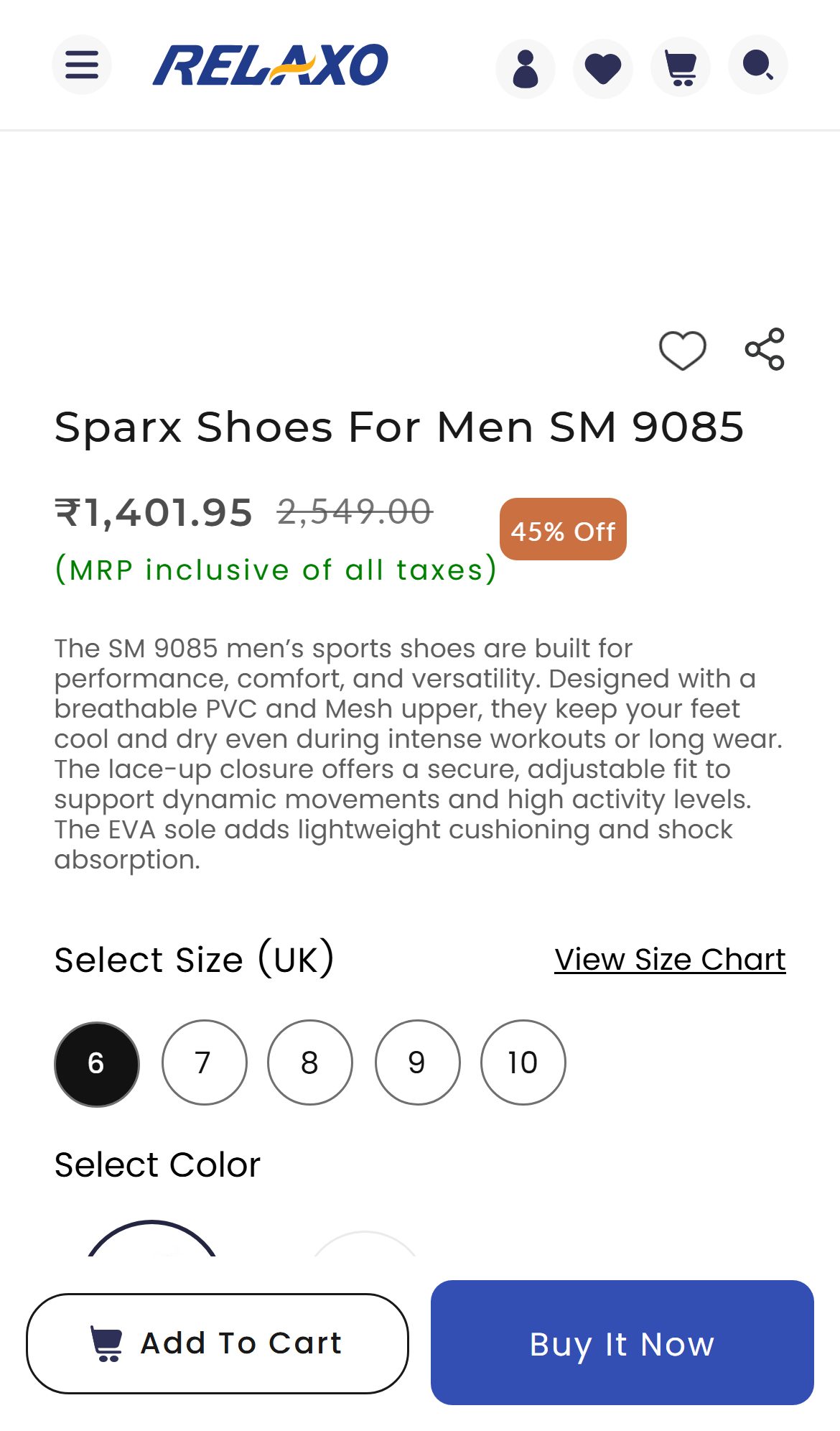
Relaxo — Mobile
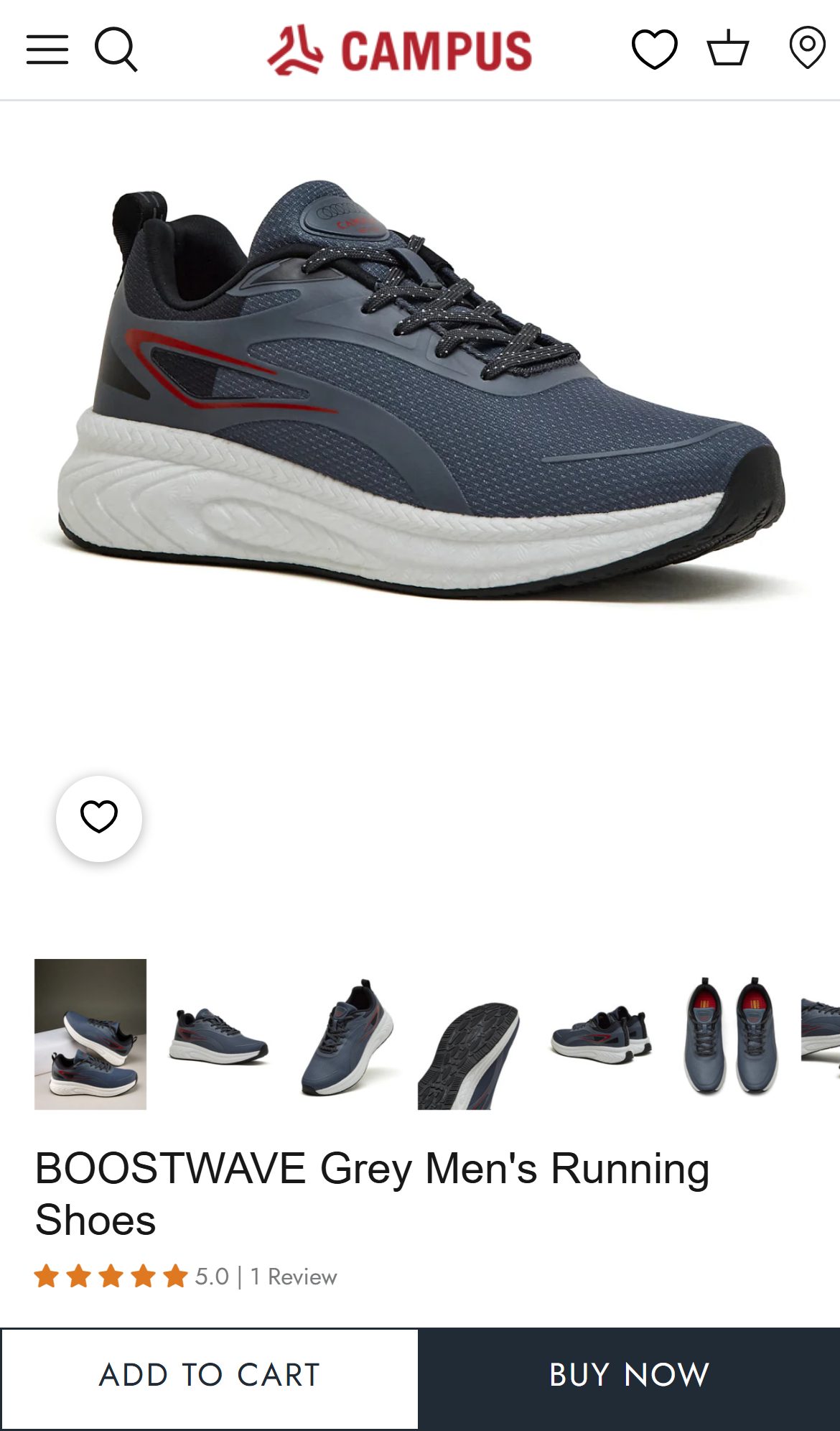
Campus Shoes — Mobile
Observations
- The Judge.me star rating (3.33/5, 6 reviews) is rendered only in the dedicated Reviews section at the bottom of the PDP — well below the fold for both mobile and desktop users.
- Above-fold PDP shows: product title, price with strikethrough, 45% Off badge, and a product description paragraph — no star rating or review count anywhere near the price.
- Benchmark data shows 7/10 fashion stores display star ratings with review count directly below the product title; Campus Shoes shows rating inline with the product name.
- Missing star rating at the decision point forces users to scroll past ATC before they see any social proof, increasing bounce rate at the most critical trust moment.
Recommendations
- Move the Judge.me star widget (stars + review count + link to reviews) to appear immediately below the product title, above the price — this is a single template edit in Shopify.
- Display aggregate rating prominently (e.g. '★ 3.3 · 6 reviews') with a scroll-anchor link to the full reviews section below.
- Consider displaying the rating count threshold: once a product hits 10+ reviews, increase the visual weight of the star display.
Surfacing delivery benefits and live offers right beside the Add-to-Cart — instead of hiding them in collapsed accordions — reinforces purchase intent at the decision point.
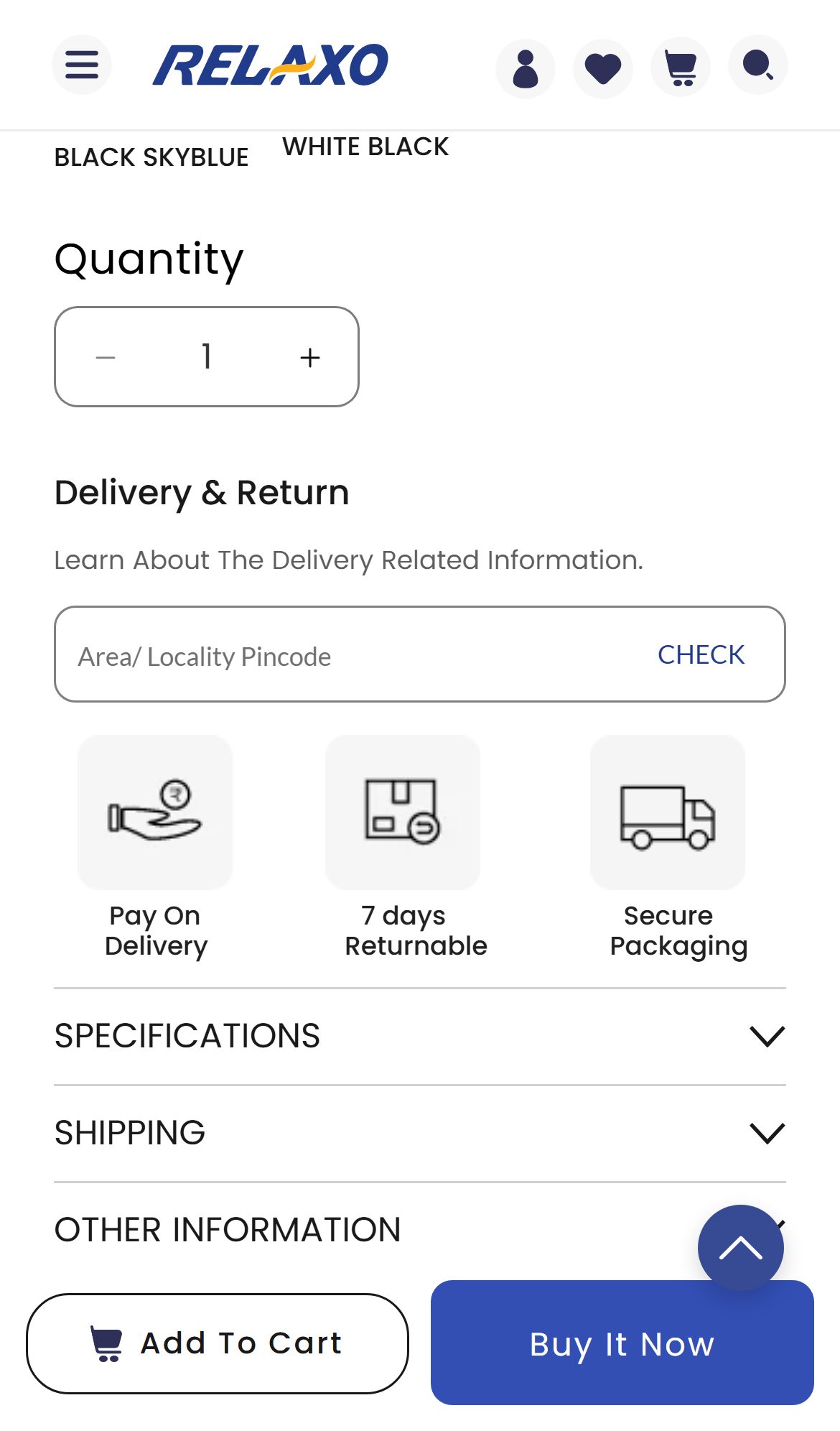
Relaxo — Mobile
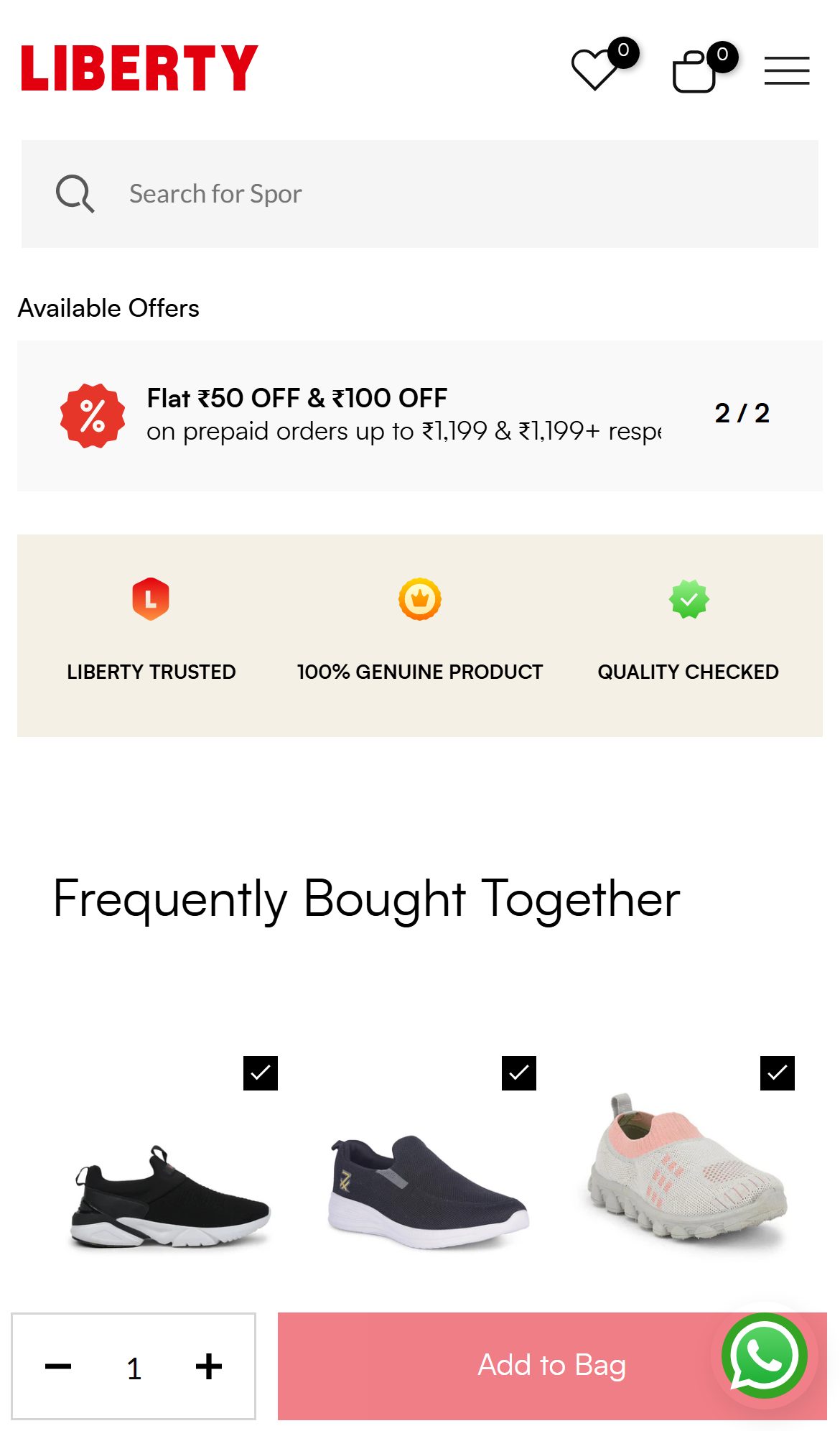
Liberty Shoes — Mobile
Observations
- On Relaxo's PDP, shipping details sit inside a collapsed 'SHIPPING' accordion and the only always-visible reassurance near the ATC is the small Pay-On-Delivery / 7-Day Returnable / Secure Packaging icon row — the free-shipping threshold and any active offer are not surfaced.
- There is no visible 'offers' block near the buy button, so a shopper deciding at the ATC sees neither the free-shipping benefit nor the prepaid/coupon incentive without tapping to expand sections.
- Liberty surfaces an 'Available Offers' strip (Flat ₹50 / ₹100 OFF on prepaid) plus LIBERTY TRUSTED / 100% GENUINE / QUALITY CHECKED badges directly above its Add-to-Bag button — putting incentive and reassurance at the decision point.
- For Relaxo's value-led, discount-motivated audience, making the shipping benefit and prepaid offer visible at the ATC is a low-effort nudge that compounds with the existing announcement-bar messaging.
Recommendations
- Add a compact, always-visible 'Offers & Delivery' block just below the ATC: free-shipping line (e.g. 'Free shipping on this order'), the prepaid discount, and key return/COD reassurance — no tap required.
- Keep the SHIPPING accordion for full details, but lift the single most persuasive line (free shipping / prepaid offer) out of it into the always-visible area.
- Mirror the announcement-bar 'Extra 5% off on Prepaid' here so the incentive is reinforced at the moment of add-to-cart.
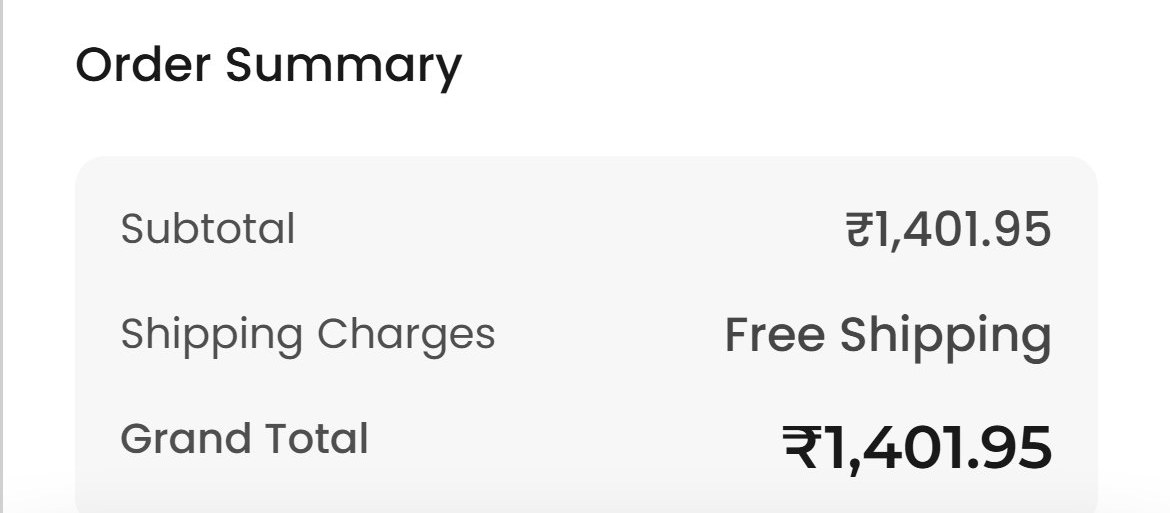
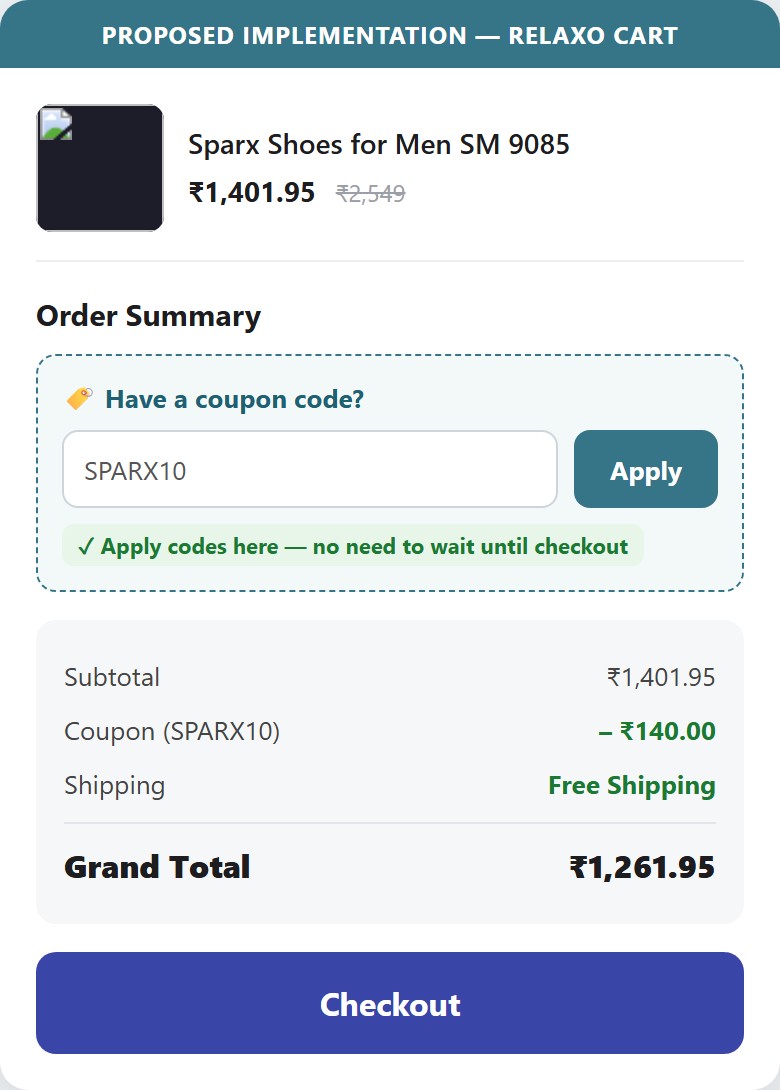
Adding a coupon code field to the cart drawer removes a checkout friction point that causes promo-motivated buyers to abandon before entering checkout — especially relevant for discount-first India shoppers.
Relaxo — Mobile
Proposed Implementation — Relaxo Cart
Observations
- The cart drawer (MY CART) shows product details, cross-sell, Grand Total (₹1,401.95), and a Checkout button — but there is no coupon/promo code entry field anywhere in the cart.
- Customers who arrive via promotional campaigns (Instagram ads, email offers) with coupon codes must proceed all the way to the Shopify checkout to apply their discount — adding unnecessary friction.
- RedTape's cart page shows a 'Have a promo code?' field directly in the cart summary — visible before clicking Checkout.
- India shoppers are highly coupon-motivated (aggregators like CouponDunia, CashKaro drive significant traffic) — the inability to apply codes at cart stage creates doubt about whether the code will work, increasing abandonment.
Recommendations
- Add a collapsible 'Have a coupon code?' text link in the cart drawer that expands to a text field + Apply button — this keeps the UI clean while making the option visible.
- Consider auto-applying coupon codes from URL parameters: if a user arrives via ?discount=SUMMER10, automatically apply and show confirmation in cart.
- If the Shopify theme's cart drawer doesn't support native discount codes, this can be enabled via Shopify's Cart Transform API or a lightweight app like Discount Ninja.
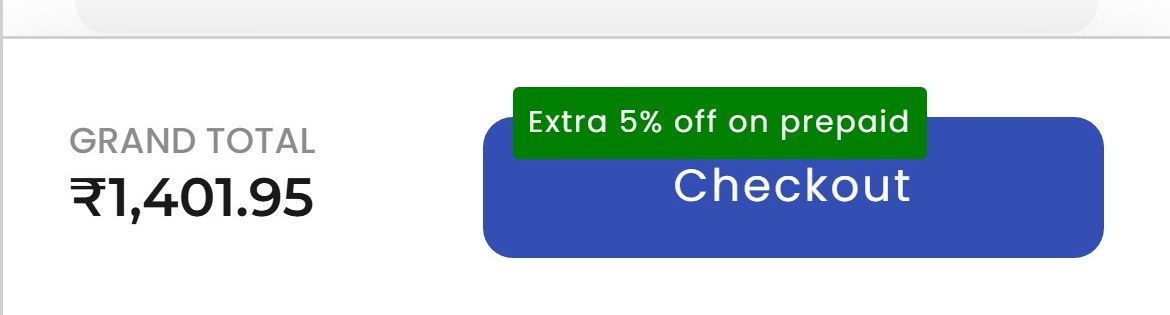
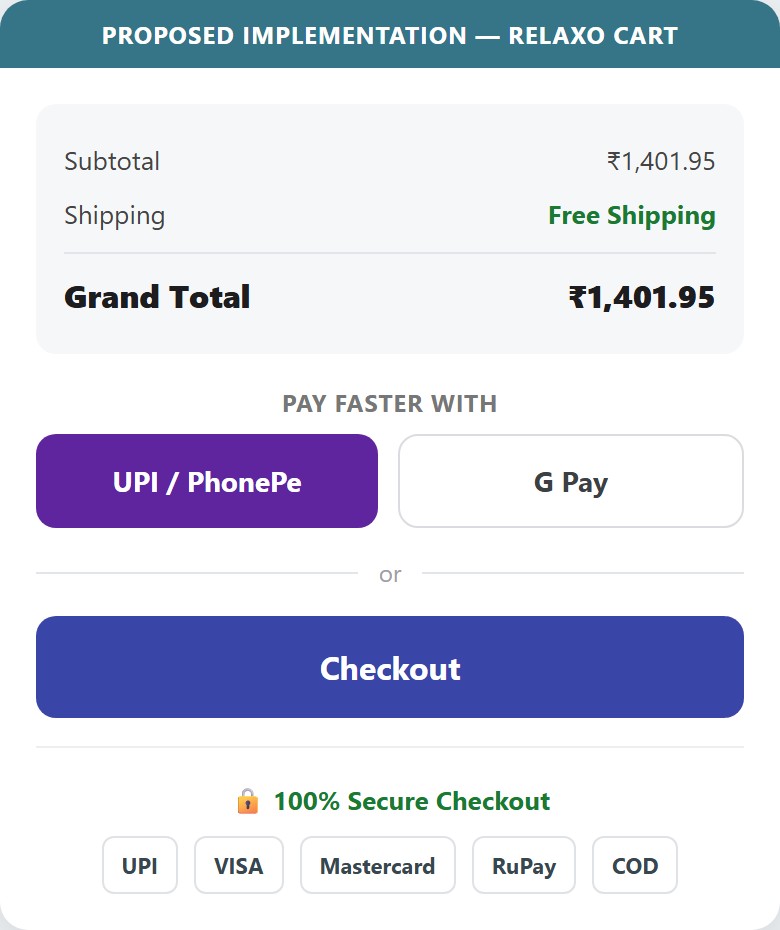
Adding payment-method trust icons (UPI / Visa / Mastercard / RuPay + a 'Secure' seal) and a one-tap UPI express-checkout beside the cart CTA eases payment anxiety and friction at the cart's highest drop-off stage.
Relaxo — Mobile
Proposed Implementation — Relaxo Cart
Observations
- The cart shows the item, Order Summary, the 'Extra 5% off on prepaid' badge and a single Checkout button — but no payment-method icons, security seals, or '100% Secure' reassurance anywhere near the CTA.
- There is also no express / one-tap payment option (UPI, Google Pay, PhonePe, Shop Pay) before the standard checkout — UPI-first Indian shoppers must proceed through the full checkout flow to pay.
- India's first-time online buyers are highly sensitive to payment trust; visible payment logos plus a secure-checkout badge are among the highest-ROI cart elements, and UPI express checkout removes 2–3 steps for returning buyers.
- Relaxo's mass-market, COD-comfortable audience benefits especially from explicit 'secure payment / UPI accepted' cues at the moment of commitment.
Recommendations
- Add a compact row of payment-method icons (UPI, Visa, Mastercard, RuPay, COD) plus a '100% Secure Checkout' badge directly above the Checkout button.
- Enable a one-tap UPI / Google Pay express-checkout button above the standard Checkout to shorten the path for returning, UPI-first shoppers.
- Pair the existing 'Extra 5% off on prepaid' nudge with the trust/express row so the prepaid incentive and payment reassurance reinforce each other.
04
App Ecosystem
What's installed vs what's missing from best-in-class Fashion & Apparel stores
Present (4)
Judge.me Product Reviews
reviews_ugc
Wigzo (by Netcore)
marketing_automation_crm
Shiprocket
shipping_logistics
Google Tag Manager
tag_management_analytics
Missing (7)
Klaviyo / Omnisend (Email Marketing) Recommended
email_marketing
📈
7/10 India fashion stores use Klaviyo or Omnisend for automated email flows; a meaningful share of revenue attributed to email in India D2C
GoKwik / Razorpay Magic Checkout (Express Checkout) Recommended
checkout_optimization
📈
Growing adoption in India D2C; Campus Shoes and major India fashion brands use GoKwik for checkout optimization
Hotjar / Microsoft Clarity (Session Recording & Heatmaps) Recommended
cro_analytics
📈
8/10 CRO-mature stores have at minimum Microsoft Clarity (free) installed for session recording
BNPL / EMI App (Simpl, LazyPay, ZestMoney, Snapmint) Recommended
payments_bnpl
📈
5/10 fashion benchmark stores offer BNPL; Superkicks (footwear) uses Snapmint prominently on PDP
Loyalty / Rewards App (LoyaltyLion, Smile.io) Recommended
loyalty_retention
📈
4/10 fashion stores have loyalty programs; Gymshark's XP system is best-in-class example
WhatsApp Commerce / Interakt / Wati Recommended
whatsapp_marketing
📈
Growing standard in India D2C; Snitch, Bewakoof, and most India-native Shopify stores use WhatsApp for order updates and cart recovery
Size Fit Recommendation App (True Fit, Fitting Room, Kiwi) Recommended
fit_personalization
📈
Low overall adoption (2/10 fashion stores) but high impact when implemented in footwear category specifically
App Stack Assessment
4 apps detected, 7 critical gaps identified
Confidential — Prepared for Relaxo by Growisto | June 2026